
ibau Subscription
Prerequisites
- User access: the Baucore_Ibau permission set and an ibau feature license.
- Provider readiness: the connection, user assignment, synchronization options, and mappings described in ibau Setup must be complete.
- Activate Scheduler: the scheduler must be activated in ibau Setup → Options.
- Saved criteria: create search criteria in ibau Research before configuring a user-managed subscription.
- Background processing: an administrator must activate the ibau scheduler for subscriptions to run automatically.
Setup and verification (for admins)
- Complete ibau connection, mapping, and user assignment in ibau Settings.
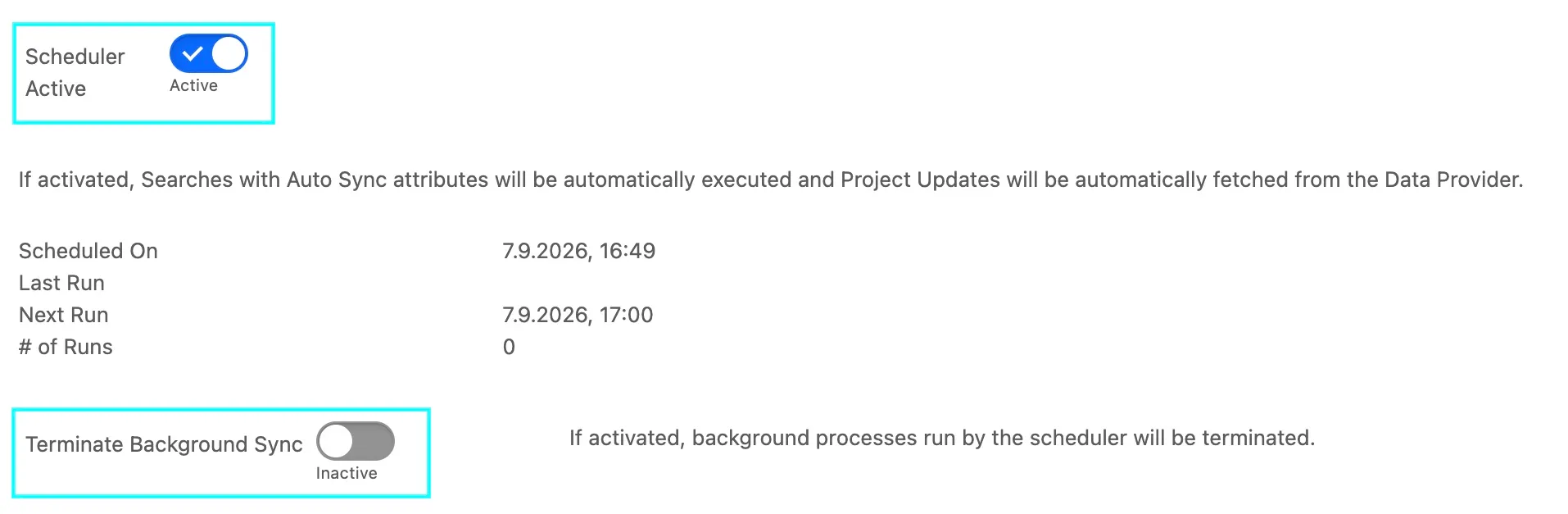
- In Options, activate the ibau Scheduler.
- Confirm Terminate Background Sync is off when automatic processing should run.
- Sign in as a standard user and create a narrow saved search in Research.
- Reopen Subscriptions and verify the saved values.
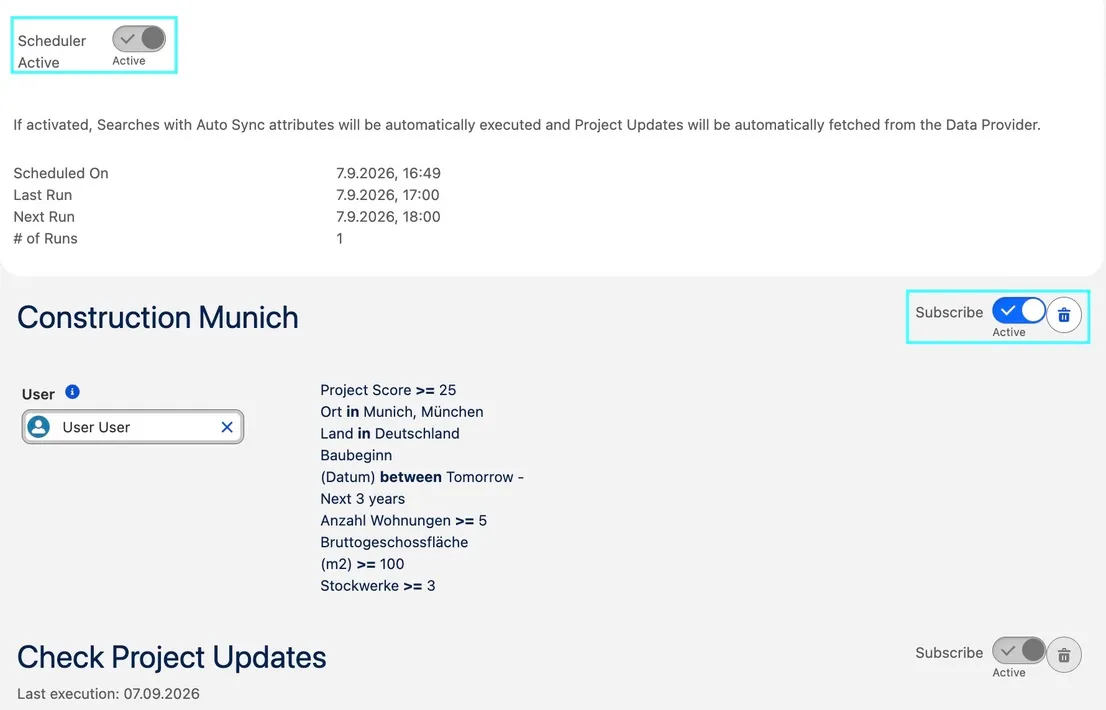
- After the scheduled execution, review Last Run and the affected linked record.
Scheduler Active
Enable Scheduler Active to run saved searches that use Auto Sync and to retrieve project updates from ibau automatically. When the scheduler is active, the status area shows:
- Scheduled On — when the current scheduler job was created.
- Last Run — when the scheduler last ran. Empty until the first run.
- Next Run — when the scheduler is scheduled to run next.
- Run counter — how many times the current scheduler job has run.
Terminate Background Sync
Enable Terminate Background Sync to exclude ibau records from queued background processing — a temporary operational stop. It does not disable manual synchronization or remove saved subscriptions.
Leave it inactive when scheduled searches and project updates should be processed. To stop the scheduler itself, deactivate Scheduler Active instead.
Access the feature
- Open the ibau app.
- Select ibau Subscriptions.
- Review the listed saved searches and the system-managed update subscription.
Create a subscription from Research
- Open ibau Research.
- Enter text and/or advanced-filter criteria.
- Run the search and save it.
- Open ibau Subscriptions.
- Select Subscribe on the saved search.
- New updates will be received as a Chatter notification.
Automatic updates apply the org-wide ibau mappings without a per-record review screen. The scheduler for the Update is added automatically and cannot be removed.
Review subscription activity
- Open ibau Subscriptions.
- Locate the subscription by Name.
- Review Last Run.
- For a failure, ask an administrator to inspect Project Sync Queue records with a Failure status.
Screenshots
Reviewing Last Run and the affected linked record for a subscription

The list of saved searches and their update-subscription status
A Chatter notification received when the subscription gets new updates