
Activity Overview
The Activity Overview component pulls together activities from a Project or Main Project — and, depending on configuration, its participants and other related child records — into a single view, instead of making reps click into each related record separately. It works on both individual Projects and Main Projects, and on a Main Project it also surfaces the activities of that Main Project’s child Projects and Project Leads.
Add it to a record page
- Open Lightning App Builder for the Project or Main Project record page.
- Drag Activity Overview onto the page.
- Go to Baucore Setup → Activity Settings to choose which additional child objects (of Project or Main Project) count as relevant for activity tracking — see below.
- Save and activate.
View modes: Relevant Only vs. View All
The component defaults to Relevant Only mode, which scopes the activities shown using WhatId/WhoId on the Activity (Task/Event/Call) records:
- On a Project record: activities where
WhatIdis the Project itself,WhoIdis one of the Project’s Participants (orWhatIdis that Participant’s Account), plus activities from any additional child objects configured as relevant (see next section). - On a Main Project record: activities where
WhatIdis the Main Project itself,WhoId/WhatIdis one of the Main Project’s own Participants, plus all activities rolled up from child Projects and child Project Leads — except those whose status is Converted or Unqualified — plus activities from configured child objects of both the Main Project and its child Projects.
Switching to View All drops this filtering and shows every activity associated with the record and its related records, regardless of the criteria above.
Show Additional Child Objects as Relevant
Beyond the built-in Project/Main-Project and Participant scoping, admins can widen what counts as “relevant” by configuring additional child objects (of Main Project and of Project) via the Activity Settings entry in Baucore Setup — any activity logged against those configured child objects is then pulled into Relevant Only mode too.
Chatter tab
A separate Chatter tab aggregates Chatter posts and comments made about the record and its relevant related records. It works by identifying which record each post/comment is actually attached to — the object an activity is linked to (an Opportunity, for example) or the person involved (a Contact) — and only surfaces posts from those connected records. In practice this means Chatter only shows up for participants that actually have logged activities: if a Project has two participants but activities are only logged for one, only that one’s Chatter posts and comments appear.
Considerations
The component can create new Event, Task, and Call activities directly. It cannot be used to compose a new Email — that still has to be done through the standard Salesforce email tools.
Screenshots
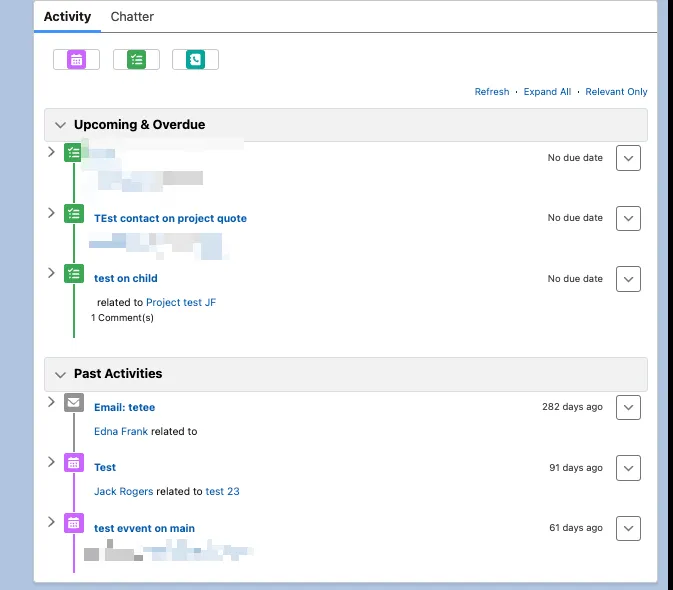
The Activity component showing linked participants and child object relationships
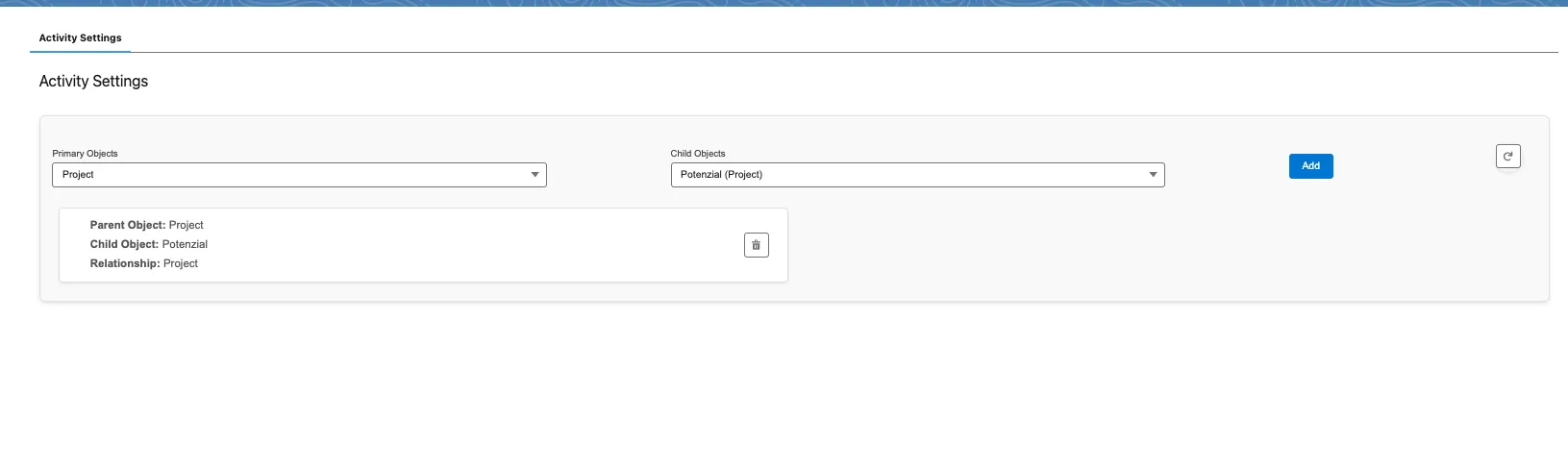
Chatter posts and comments shown alongside the activity